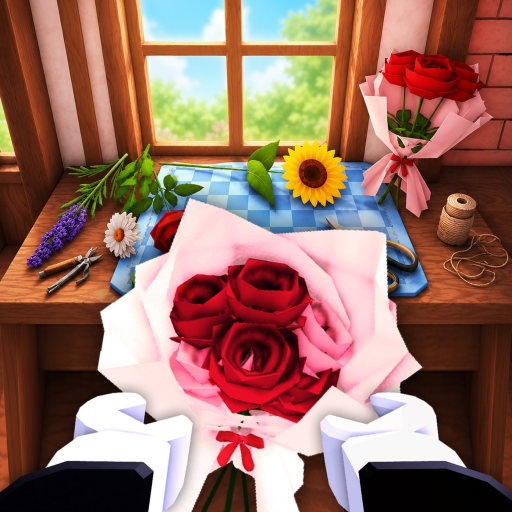
I am starting for the first time
Plant available flowers, let them grow, harvest, then craft or sell before spending on upgrades.
Open the first-session guide →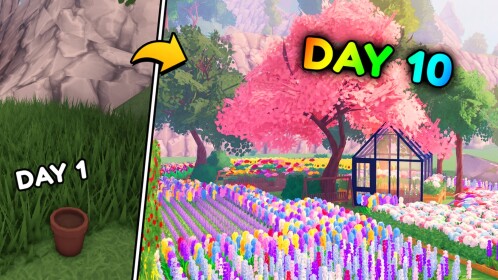
Updated 2026-08-22 - latest player-resource update
Plant, grow, harvest, craft, and sell. Start with the verified shop loop, then use the page that solves your next player problem.
MyFlowerShop is an unofficial fan-made resource. Roblox and the game creators remain the official place for support and updates.
Open the official Roblox game page →This site is organized around player tasks, not a page count. Pick the answer that matches your current screen in the game.
Plant available flowers, let them grow, harvest, then craft or sell before spending on upgrades.
Open the first-session guide →No active code is verified in the current public check. Avoid script pages and use the status page for the next recheck.
See code status →Read the request, check the visible flower or bouquet requirements, craft what the UI shows, then deliver it.
Troubleshoot the order →Compare the visible cost and effect in your current shop. Public sources do not verify a universal best upgrade yet.
Plan the next move →Open the dedicated resource that matches what you need, without mixing separate answers into one page.
Choose your current goal and get a concrete next action without made-up prices or profit rates.
Play loopPlan one planting → harvest → craft or sell session and record what the game actually shows.
Evidence boundaryKeep your own in-game costs and rewards separate from public values that are not verified yet.
No fake S/A/BSee what is and is not known before trusting a best-flower, worker, or upgrade claim.
CodesTracks collected active-code status, expired-code conflicts, and redemption instructions.
Community statusCollects official Trello, Discord, wiki, and Roblox links for update-sensitive info.
Support statusChecks daily streak rewards and group bonus status without inventing amounts or timers.
Fresh Roblox questions often appear around codes, events, Discord posts, wiki changes, and creator videos, so those checks have a clear place to live.
Track active patches, limited events, milestone rewards, and pages that may need updates.
RewardsUse a focused page for daily streak rewards and the group bonus when values are still source-gated.
CodesCodes often change after updates, events, likes milestones, or creator announcements.
SourcesCheck whether Trello, Discord, wiki, or creator-owned channels have useful update info.
Use these guides when you need beginner advice, safer upgrade choices, farming routes, or advanced strategy.
Open a focused page for the flower, bouquet, worker, garden, upgrade, or shop mechanic you want to understand.
Use these links when you need Roblox pages, creator channels, Discord, Trello, wiki references, or community context.
Use this page for the game title, creator, live Roblox availability, badges, and public update text.
CommunityUse this page or creator links to separate official boards from community references.
EditorialKeep official, community, video, Reddit, and guide-site references easy to compare.
Codes, updates, and tier lists should show clear dates, rewards, and player-facing notes when public reports disagree.
Split major game systems into their own wiki pages when players need a direct answer instead of burying everything on the homepage.
This fan site clearly points players back to official Roblox and creator-owned support paths.
Search results for My Flower Shop script, auto plant, auto harvest, or auto checkout are rejected as unsafe signals, not used as gameplay instructions.
Recent creator videos help players understand gameplay, updates, rankings, and strategy. Treat videos as supporting references, not official patch notes.
No verified public creator URL is attached yet; use the sources page before treating a video as gameplay evidence.
No verified link attachedNo verified public creator URL is attached yet; use the sources page before treating a walkthrough as current advice.
No verified link attachedNo verified public creator URL is attached yet; use the sources page before treating a showcase as ranking or update evidence.
No verified link attachedQuick answers owned by this page, plus links to focused resources for everything else.
MyFlowerShop is a fan-made Roblox resource for 🌷 My Flower Shop code status, first-session help, shop-task guides, and evidence-labeled planning.
No. This is an unofficial fan site. Use the official Roblox page and creator-owned channels for official support, purchases, moderation, and account issues.
It can answer the verified shop loop, first-session steps, flower growth workflow, customer-order checks, code status, daily-reward status, and how to avoid unsupported rankings or script pages.